01
Stored food creates an information handoff.
Details known during preparation can become separated from stored portions.
Bridge physical and digital records.
Link each printed label to an updatable batch record.
KITRAH · UX/UI + PRODUCT DESIGN
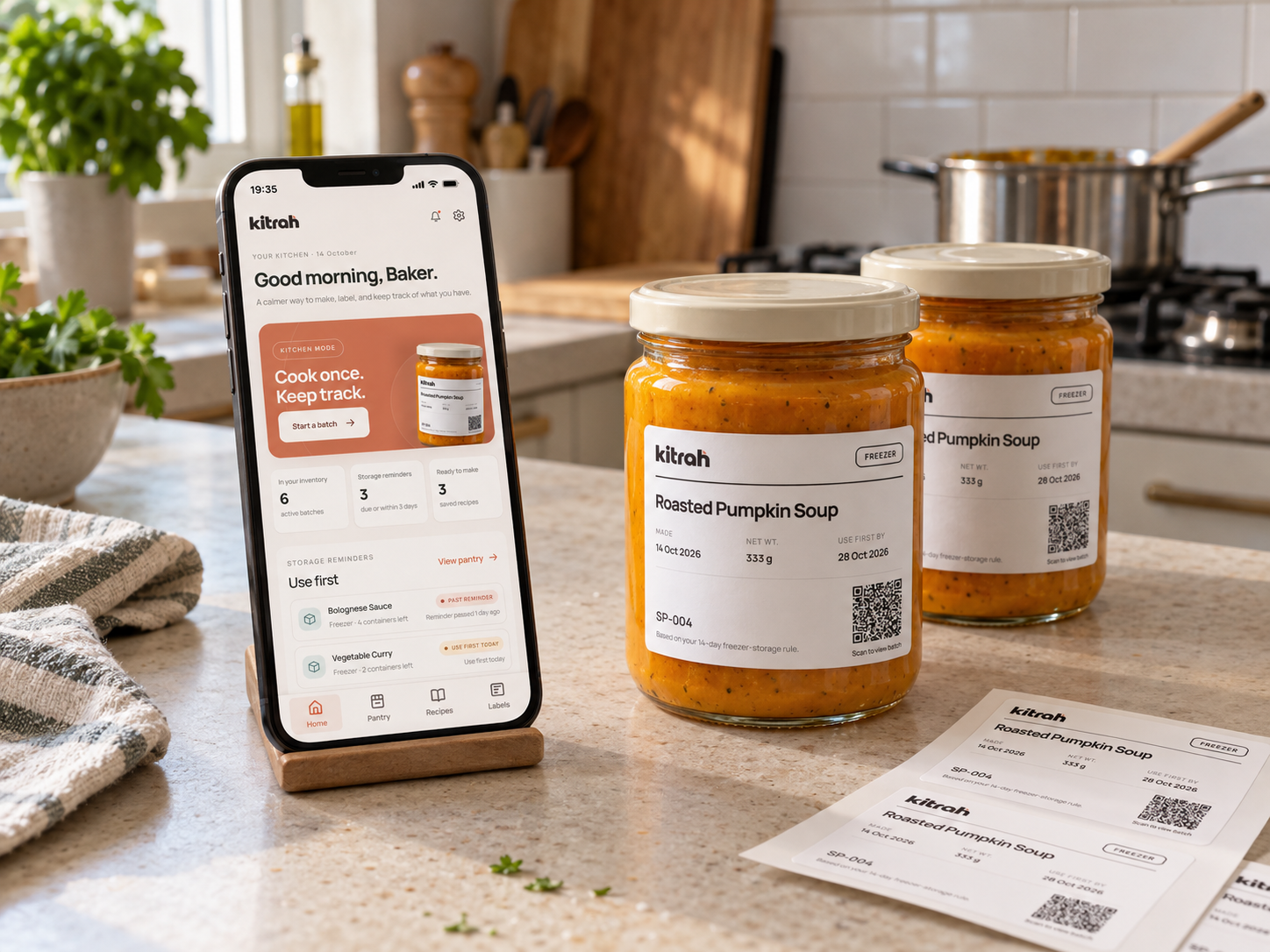
Kitrah is a connected kitchen concept that links homemade food to a digital batch record through a physical label, helping people prepare, store, find and update what they have.
MAKE → LABEL → STORE → FIND → USE
THE PROBLEM
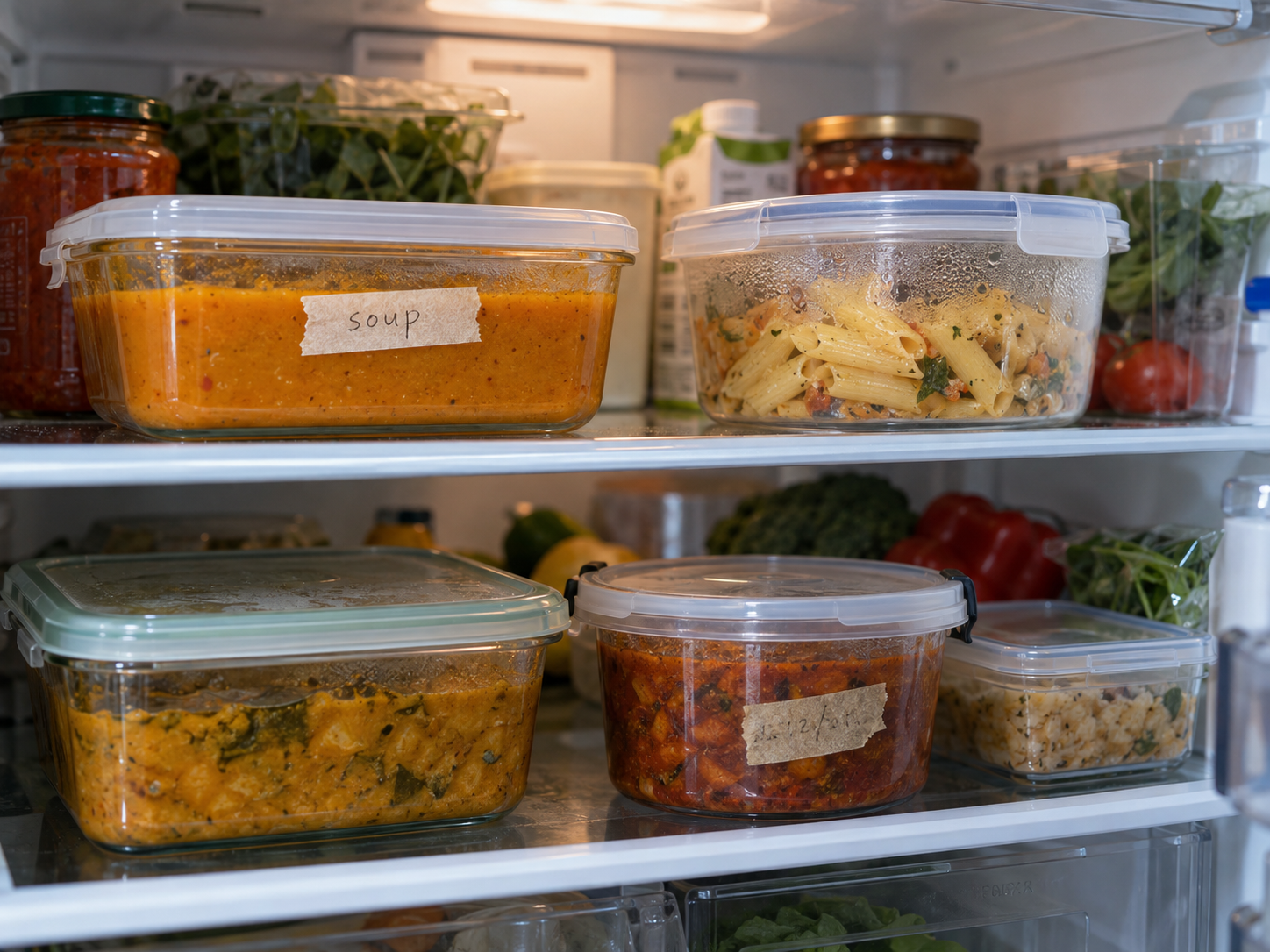
Once homemade food is stored, details about what it is, when it was made, and what should be used first can become separated from the physical container.
Kitrah explores how that handoff could be easier without asking people to maintain a separate inventory.
RESEARCH
Desk research across household food storage, date marking, existing tools and connected kitchen products.
Details known during preparation can become separated from stored portions.
Link each printed label to an updatable batch record.
User-defined dates can prompt action, but cannot establish food safety.
Show Storage reminder and Use first by with the underlying rule.
Scales and printers may streamline tasks but are not always available.
Support manual weight entry and print-independent label export.
Inventory, label and preparation systems serve overlapping but distinct steps.
Connect preparation, labeling, storage, retrieval and use.
Synthesis of desk research · Design opportunities to validate through testing
↓KITRAHUSER JOURNEY
The journey follows one batch from preparation to use, moving between the interface and the physical kitchen.
Choose a recipe or batch
DIGITALRecord the prepared amount
PHYSICAL + DIGITALConfirm portions and reminder
DIGITALGenerate a linked label
PHYSICALChoose fridge, freezer or pantry
PHYSICAL + DIGITALUse Pantry, QR or Batch ID
DIGITALUpdate remaining containers
PHYSICAL + DIGITALINFORMATION ARCHITECTURE
Kitchen Mode is a focused task flow entered when the user starts a batch, rather than a permanent navigation destination.
What needs attention.
What is stored and what needs attention.
Reusable preparation information.
Printed identifiers linked to batches.
CORE USER FLOW
Each screen advances one clear task, from choosing a recipe to updating the number of containers remaining.
HOME → RECIPE → START BATCH → WEIGH → REVIEW → LABEL → STORE → PANTRY → BATCH DETAIL → USE ONE CONTAINER
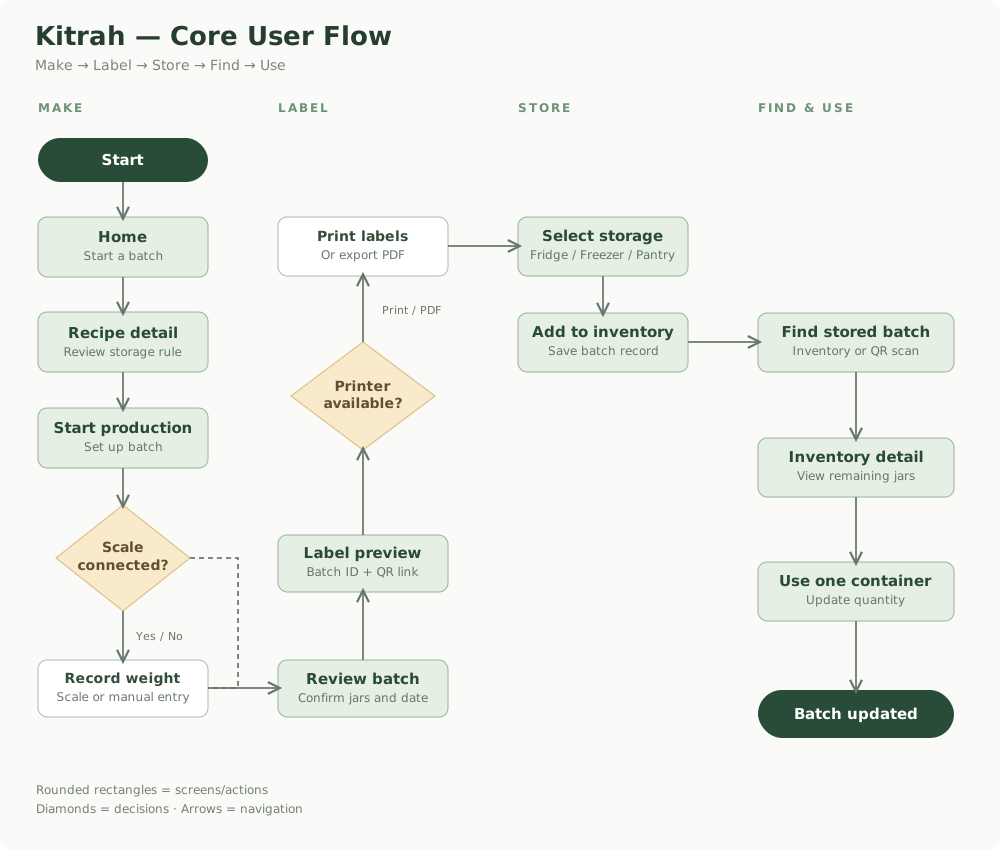
Manual routes keep the main task moving when connected hardware is unavailable.
WIREFRAMES
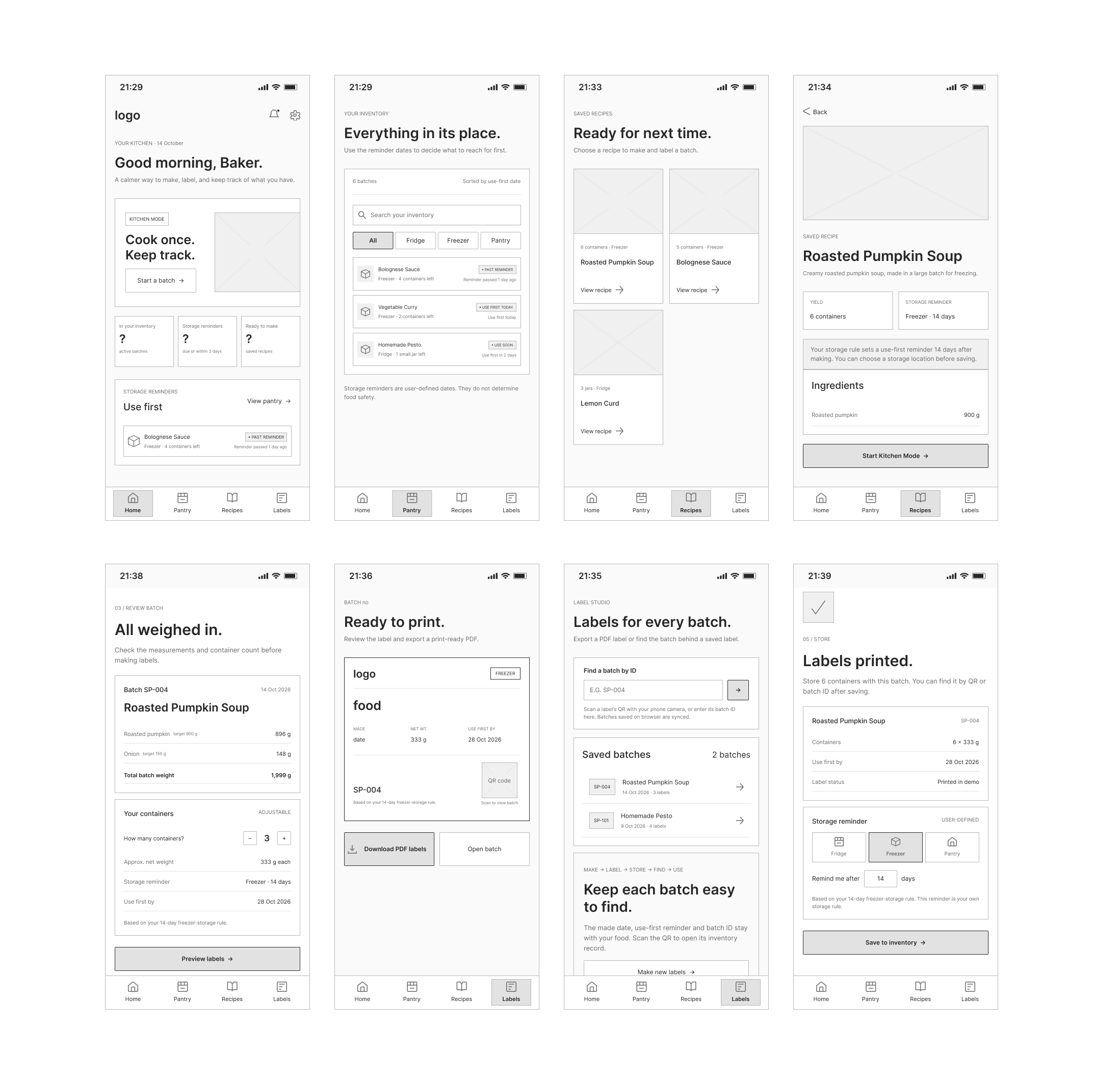
Early wireframes focused on reducing each stage of batch-making to a clear task. Kitchen Mode became a guided sequence so weighing, review, labeling and storage would not compete for attention on the same screen.
VISUAL DESIGN
The visual system feels calm, practical and tactile rather than technical or clinical. Warm neutrals keep the interface domestic, while functional status colours are reserved for reminders and device states.
Colour
Personality
Calm · Warm · Practical · Precise · Contemporary · Tactile
Interface language
Serif typography carries the editorial story. Inter supports the interface, with IBM Plex Mono reserved for weights, dates and Batch IDs.
THE CORE EXPERIENCE
One continuous story, following a homemade batch from preparation to the moment a container is used.
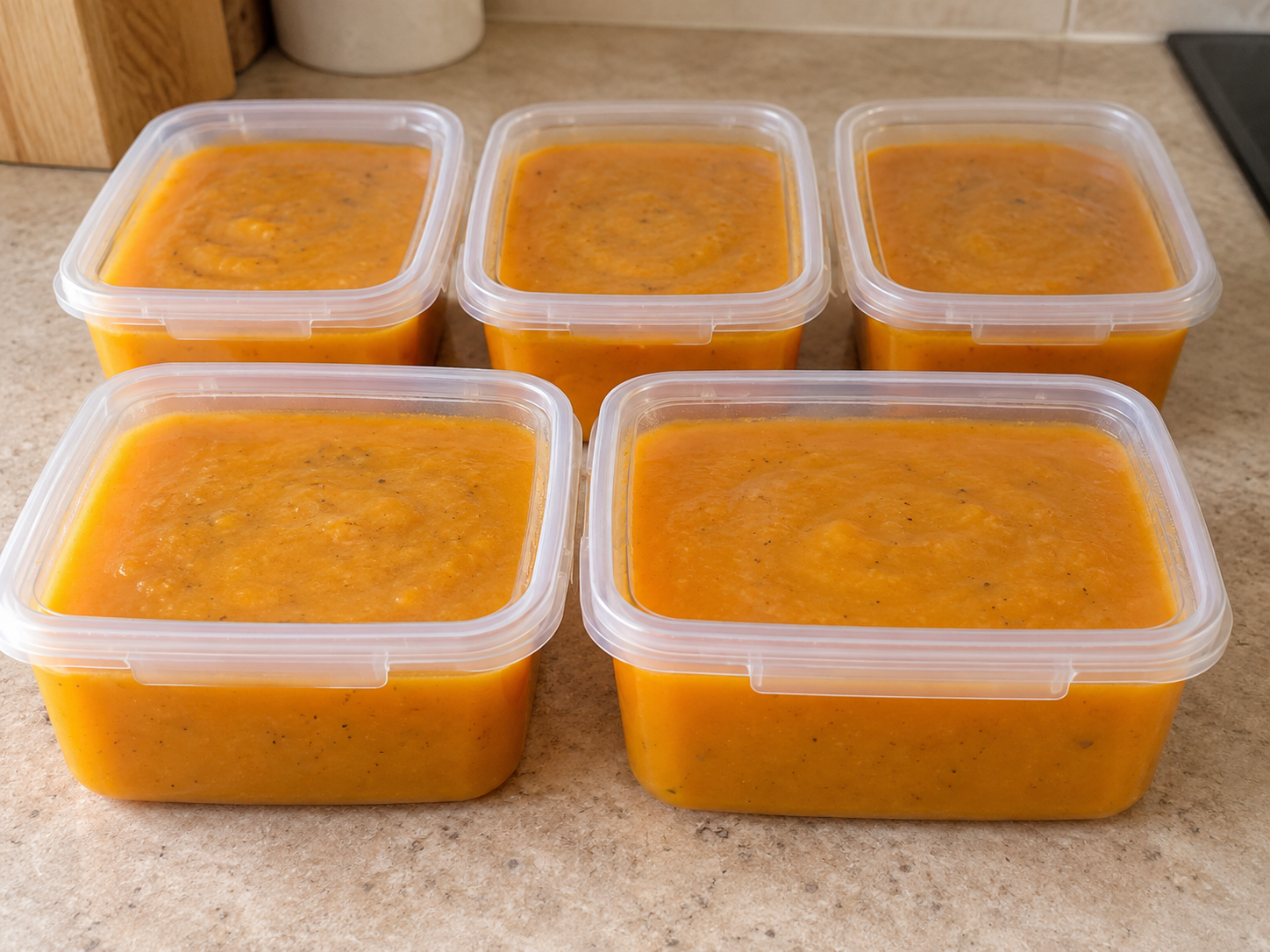
A saved recipe carries reusable information such as ingredients, expected yield and a storage reminder into a new batch.
Roasted Pumpkin Soup
6 containers · Freezer
Storage reminder: Freezer · 14 days
 RECIPE / PUMPKIN
Creamy roasted pumpkin soup, made in a large batch for freezing.
Your storage rule sets a use-first reminder 14 days after making.
Kitchen Mode presents one weighing task at a time, with the live measurement given visual priority. If the scale is unavailable, the same step can continue with manual weight entry.
Scale connected · 298 g
Scale unavailable · Enter weight manually
Ingredient 1 of 5 · Roasted Pumpkin Soup
Target 900 g
Continue the same step by entering the measured amount yourself.
Before creating labels, the user reviews actual ingredient weight, container count, approximate weight per container and the reminder generated from the selected storage rule.
Batch SP-004 · 6 containers · 1,999 g total
Storage reminder · Use first by
Check the measurements and container count before making labels.
Based on your 14-day freezer-storage rule.
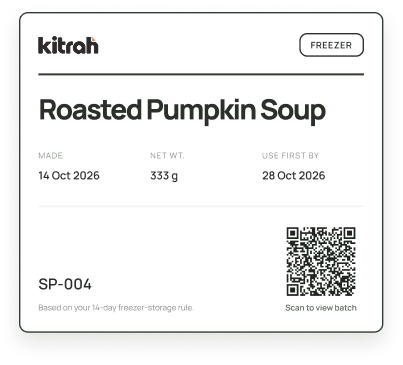
Each label carries the information needed at a glance, while the QR and Batch ID provide a route back to the living digital record.
After labels are prepared, the user confirms where the batch is actually being stored. This prevents printed labels from automatically creating inaccurate inventory.
Confirm where this batch is actually being stored.
This reminder organises when to check the batch.
After saving, find this batch in Pantry or return to its record by QR or Batch ID.
Pantry prioritises stored batches by reminder state rather than treating every item as equally urgent.
Past reminder · Use first today · Use soon · Later
Use the reminder dates to decide what to reach for first.
Storage reminders are user-defined dates, not food-safety determinations.
Opening the batch record from Pantry, QR or Batch ID gives the user a simple way to update what remains.
6 of 6 containers left → Use one container → 5 of 6 containers left
Made 15 Oct 2026
CONNECTED EXPERIENCE
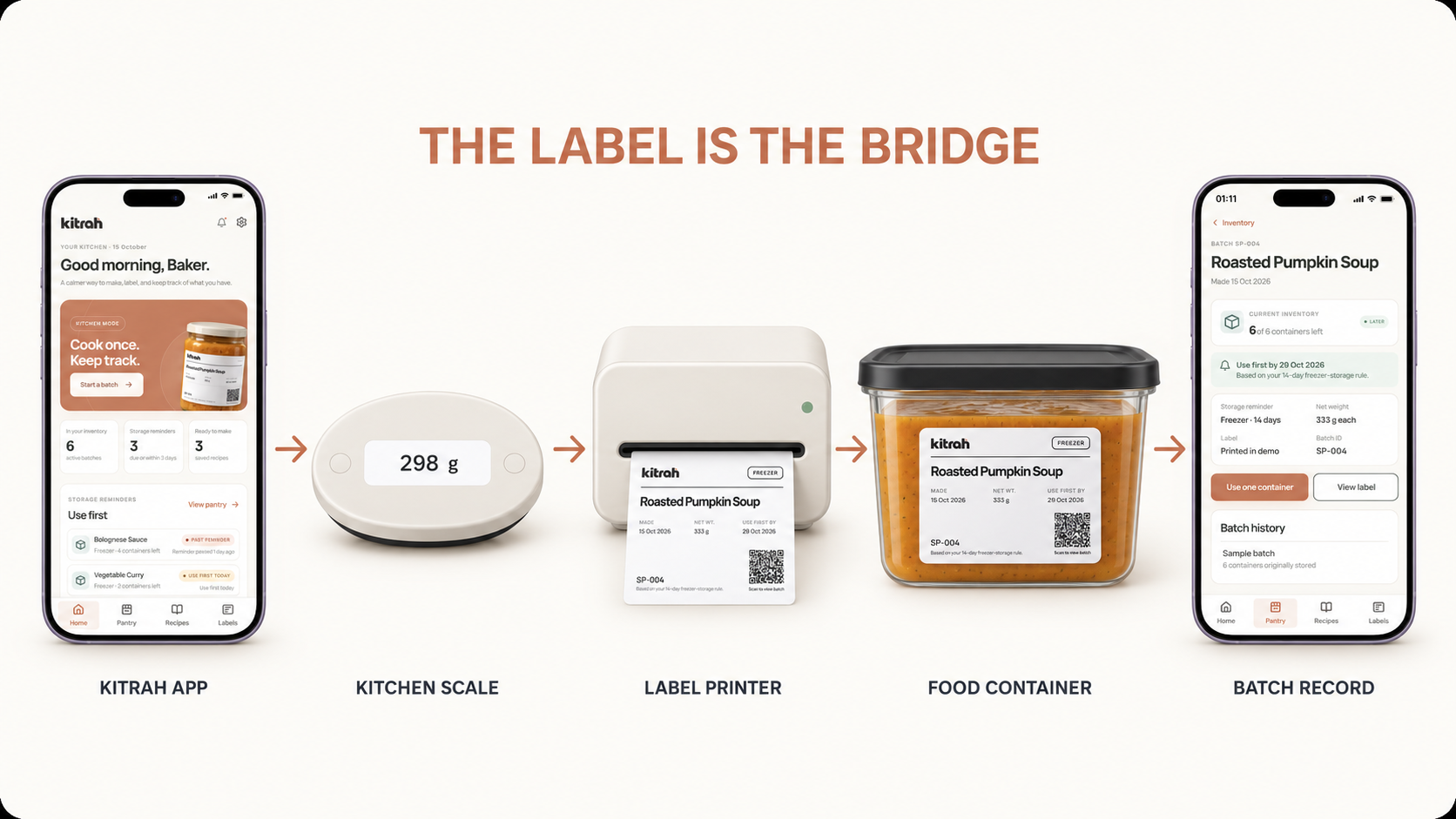
The physical label is not a separate output from the app. It acts as the visible identifier for a batch, carrying essential information on the container while providing a route back to the record as food is stored, moved or used.
REAL-WORLD CONSIDERATIONS
Cooking is messy. A production version would need to minimise interaction and remain usable with wet hands or around hot food.
Labels would need to survive refrigeration, freezing and condensation while remaining removable from reusable containers.
Kitrah competes with masking tape and a marker. Added hardware needs to justify its cost and friction through clear practical value.
Bluetooth does not mean universal compatibility. Production hardware would need a defined set of supported scales and printers.
Storage reminders organise information rather than scientifically determine whether homemade food is safe to eat.
Manual weight entry, printable labels and Batch ID retrieval keep the workflow usable when hardware is unavailable.
A production product would need reliable batch storage, account or sync logic and a strategy for multi-device use.
Reminder notifications would need appropriate background behaviour, permissions and accessibility considerations.
PROTOTYPE
I translated the final interface into an interactive Figma prototype to make the full Kitrah workflow testable, including hardware fallback states and the transition from a physical label back to the batch record.
WHAT I TESTED
TESTING & ITERATION
I tested the Figma prototype with five people who store homemade food in different ways: a college student who meal preps for the week, a mother of four, a gym-goer who batch cooks, and two young adults living with a parent. Each completed the batch flow while thinking aloud.
WHAT I CHANGED
WHAT TESTERS ASKED FOR NEXT
REFLECTION
Kitrah began as a broad smart-pantry concept, but the project became more focused as I looked at what happens between preparing food and eventually using it. The strongest part of the idea was not inventory itself, but keeping the physical container connected to useful digital context after it leaves the kitchen counter.
The project also pushed me to think beyond ideal interface states. Hardware compatibility, food-safety language, label durability and low-tech alternatives all influenced the experience even though they sit outside the visual UI.
What I learned
What I would explore next